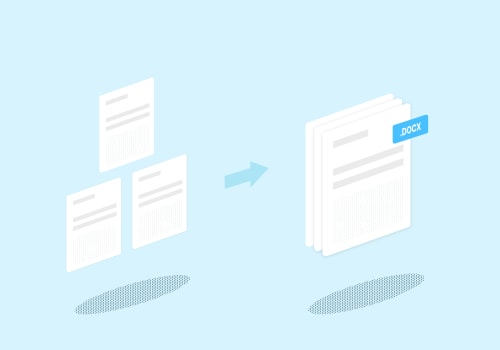
In today's fast-paced digital landscape, the ability to manage PDF documents efficiently is paramount for both individuals and organizations. Whether you are consolidating multiple reports into a single file or dividing a lengthy document into manageable sections, the process of merging and splitting PDFs is often fraught with challenges. One of the most critical aspects that often gets overlooked during these processes is maintaining document qualitymaintaining document quality.Imagine investing hours meticulously crafting a report, only to find that essential formatting, images, or hyperlinks have been compromised during the merging or splitting process. This not only diminishes the visual appeal of your document but can also lead to miscommunication and errors that may affect decision-making.
Therefore, understanding how to preserve the integrity of your documents while executing these tasks is not just a best practice; it is a necessity. In this article, we will explore effective strategies for ensuring document integrity while merging and splitting PDF files. From selecting the right tools to employing best practices that safeguard your content, we aim to equip you with the knowledge needed to navigate these processes seamlessly. Join us as we delve into the essential techniques that will help you maintain the quality of your documents, ensuring they remain professional and polished regardless of how they are manipulated. When it comes to maintaining document quality during the processes of merging or splitting PDFs, several critical aspects must be considered to ensure that the final output retains its integrity. One of the primary concerns is text formatting.
When documents are merged, there can often be discrepancies in font sizes, styles, and overall alignment, leading to a final product that appears disorganized or unprofessional. For instance, if a PDF containing headers in a bold font is merged with another document that uses a standard font, the resulting document may present a jarring visual contrast that detracts from readability. Another vital aspect is image resolution. High-quality images can become pixelated or blurry when PDFs are split or merged improperly. This issue is especially problematic for documents that rely on visual content, such as reports or presentations.
Imagine a marketing brochure that includes high-resolution images; if these images lose their clarity in the merging process, the entire presentation can suffer, undermining the document's effectiveness. The overall layout of the document also plays a significant role in maintaining quality. Users frequently encounter problems such as misaligned text boxes or disrupted pagination when merging multiple PDFs. Such issues can lead to a confusing reading experience and may result in key information being obscured or lost altogether. For example, if a legal contract is split into multiple parts for easier distribution but ends up with pages out of order or missing key sections, it can lead to misunderstandings and even legal complications. To mitigate these challenges, it is crucial to select reliable online tools that prioritize document integrity.
Users should look for PDF editing solutions that offer features like preview options and quality settings before finalizing any changes. A good tool will allow users to see how their document will look after merging or splitting, providing an opportunity to catch any formatting errors before they become permanent. Best practices also suggest that users should always check file sizes and utilize high-quality source documents when performing these tasks. Larger file sizes often indicate better quality content, and starting with high-resolution files minimizes the risk of degradation during processing. Additionally, users should pay attention to the final output size to ensure that it remains manageable without compromising quality. While using online services for PDF manipulation can be convenient, it also raises concerns about document security.
Sensitive information may be at risk if proper precautions are not taken. To safeguard sensitive data, users should opt for services that offer encryption and a clear privacy policy regarding data handling. It’s advisable to avoid uploading highly confidential documents unless the service explicitly states that they do not retain user files after processing. Utilizing reputable services with positive reviews can also help alleviate worries about potential data breaches. In conclusion, maintaining document quality during merging or splitting processes requires attention to detail across various aspects such as text formatting, image resolution, and overall layout.
By choosing trustworthy online tools and following best practices, users can ensure their PDFs remain professional and secure throughout the editing process.
Choosing the Right Online Tool
When it comes to maintaining document quality during the merging or splitting of PDFs, selecting the right online tool is crucial. With countless options available, it's essential to identify tools that not only deliver high-quality results but also prioritize user security. Firstly, consider the reputation of the online tool. Look for reviews and testimonials from previous users to gauge their experiences. A tool with positive feedback is more likely to provide reliable service without compromising on document integrity.Secondly, evaluate the features offered by the tool.A robust PDF editor should include options for format preservation, ensuring that your text, images, and layout remain intact after merging or splitting. Additionally, check if the tool supports various file formats, allowing for versatile use. Another critical factor is security. Ensure that the online tool encrypts your files during upload and processing. Look for services that offer secure file deletion after processing to protect your sensitive information. Finally, consider the user interface and ease of use.
A well-designed platform can simplify the merging and splitting processes, making it easier for you to achieve your desired outcomes without a steep learning curve. By taking these factors into account, you can confidently choose an online PDF editing tool that prioritizes quality and security, ensuring that your documents remain professional and intact.
Understanding Document Quality
Document quality in the context of PDFs refers to the overall integrity and usability of the document, which encompasses various elements such as text clarity, image resolution, formatting consistency, and the retention of metadata. When merging or splitting PDFs, it is crucial to maintain these quality aspects to ensure that the final product meets professional standards and serves its intended purpose effectively. One of the primary reasons maintaining document quality is vital during these processes is that users often rely on PDFs for sharing important information, whether in a business setting, academic environment, or personal use. A compromised document can lead to miscommunication, loss of critical data, or even legal issues if essential information is not accurately represented. Furthermore, poor-quality documents can affect the reader's experience, making it difficult to engage with the content. Additionally, common challenges arise during merging and splitting PDFs that can jeopardize document quality.These include formatting issues that may alter the layout of text and images, loss of data that can occur if pages are not correctly aligned or if certain elements are omitted during the process, and reduced image quality that can result from improper compression settings. Understanding these challenges is key to taking proactive measures that safeguard document integrity. To effectively maintain document quality while merging or splitting PDFs, users should prioritize using reliable online tools designed with features that protect against these common pitfalls. Such tools should offer options for preserving formatting, ensuring high-resolution outputs, and safeguarding sensitive data throughout the process.
Security Considerations
When it comes to maintaining document quality during merging/splitting, one cannot overlook the critical aspect of document security. With the rise of online tools that facilitate the merging and splitting of PDFs, users must be vigilant about the safety of their sensitive files.Many online platforms require users to upload documents to their servers, which raises concerns about unauthorized access and data breaches. To protect your files, always choose reputable online tools that prioritize document integrity and have robust security measures in place. Look for services that offer encryption during file transfer and storage, ensuring that your documents are safeguarded from prying eyes. Additionally, check for compliance with data protection regulations, such as GDPR or CCPA, which can provide an extra layer of assurance regarding how your data is handled. Furthermore, consider using tools that allow you to delete files from their servers after processing. This feature ensures that your documents are not left vulnerable on third-party systems.
Always read user reviews and verify the reliability of the service to mitigate risks associated with merging and splitting PDFs.In summary, while utilizing online tools for PDF manipulation can enhance efficiency, prioritizing document security is essential to protect your valuable information. By being cautious and informed, you can successfully navigate the challenges of maintaining document quality without compromising security.
Common Issues Faced
When users attempt to merge or split PDFs, they often encounter several common issues that can compromise the quality and integrity of their documents. Understanding these challenges is crucial for ensuring successful outcomes. One prevalent issue is formatting problems. Merging different PDF files may result in inconsistent formatting across the newly created document.For instance, if one PDF uses a different font or layout, it can cause misalignment and visual discrepancies that detract from the overall appearance. Another challenge is the loss of data. During the merging process, some software may inadvertently omit essential information, such as annotations or hyperlinks. For example, if a user merges a document containing critical comments with another document, these annotations might not carry over, leading to incomplete information.
Reduced image quality
is also a frequent concern when splitting or merging PDFs. Users may notice a decline in resolution or clarity when images are combined.This can be particularly problematic for documents that rely heavily on visuals, such as brochures or presentations, where sharp images are vital for conveying messages effectively. Additionally, file size issues can arise. Merging multiple PDFs can result in a significantly larger file size, making it cumbersome to share or upload. Conversely, splitting a PDF might generate files that are too small and lack necessary context, which can confuse recipients. Lastly, users often face security concerns. When using online tools for merging or splitting PDFs, there is a risk of unauthorized access to sensitive information.
For instance, if a user uploads confidential documents to an unreliable platform, they may unwittingly expose private data. By being aware of these common issues, users can take proactive steps to mitigate risks and ensure that their PDF merging and splitting tasks are completed successfully without sacrificing document quality.
Best Practices for Merging and Splitting
When it comes to merging and splitting PDFs, following best practices is crucial for maintaining document quality. Here are some actionable tips to ensure high-quality results during the process:1.Use Trusted Software: Always choose reliable software or online tools that have a reputation for maintaining document integrity. Look for platforms that are widely recommended and have positive user reviews.2.Check for Compatibility:
Before merging or splitting, verify that all documents are compatible in terms of format, size, and version. This helps prevent unexpected issues during the process.3.Preview Before Finalizing:
Utilize the preview feature offered by many tools to check the merged or split document before finalizing it.This allows you to catch any formatting issues or errors early on.
4.Optimize Image Quality:
If your PDFs contain images, ensure that the software you use preserves image quality during the merging or splitting process. Look for options that maintain resolution and clarity.5.Maintain Original Formatting:
Pay attention to how the tool handles fonts, colors, and layouts. The best tools will retain the original formatting of your documents, reducing the need for manual adjustments later.6.Secure Your Documents:
When using online tools, make sure they prioritize user security. Check if they offer encryption and data protection features to safeguard your sensitive information.7.Save Backups:
Always create backups of your original documents before proceeding with merging or splitting.This way, you can easily revert to the original files in case something goes wrong.
8.Test with Small Files:
If you're unsure about the process or the tool's reliability, start by testing with smaller files first. This will help you gauge how well the tool performs without risking important documents. By adhering to these best practices, users can significantly enhance the quality and integrity of their PDFs during merging and splitting.In conclusion, maintaining document quality during the processes of merging and splitting PDFs is crucial for ensuring the integrity and usability of your files. As we discussed, users often face common challenges such as formatting issues, loss of data, and reduced image quality. It is essential to choose reliable online tools that not only prioritize document integrity but also ensure user security. By following the best practices outlined in this article and being aware of potential pitfalls, you can significantly enhance your experience when managing PDF documents.Remember to take your time in selecting tools that fulfill your needs for both quality and security. Your documents deserve the best care!.