In today's fast-paced digital world, the ability to edit and share documents seamlessly is essential for both personal and professional use. When it comes to PDF files, the need for efficient editing tools has never been greater. Whether you're a student working on an assignment, a professional preparing a presentation, or a business owner managing important contracts, understanding how to navigate the realm of PDF editing can significantly enhance your productivity. However, simply editing a PDF isn't enough; knowing how to effectively share your edited documents is equally crucial. That's where sharing options for edited PDFs come into play.
With a plethora of online tools available, it can be overwhelming to choose the right platform that not only allows you to make changes but also facilitates easy sharing with colleagues, clients, or friends. This article aims to equip you with the knowledge you need to maximize your PDF editing experience online. We will delve into various aspects of editing PDFs, from selecting the right tools to understanding the most effective sharing methods. By the end of this guide, you'll be well-versed in creating polished documents that can be effortlessly shared, ensuring your work stands out in any setting. In the digital age, the ability to edit PDFs online has become increasingly essential for professionals, students, and anyone who frequently interacts with documents. The need for seamless sharing options for edited PDFs plays a crucial role in enhancing productivity, allowing users to collaborate effectively without the hassle of downloading software.
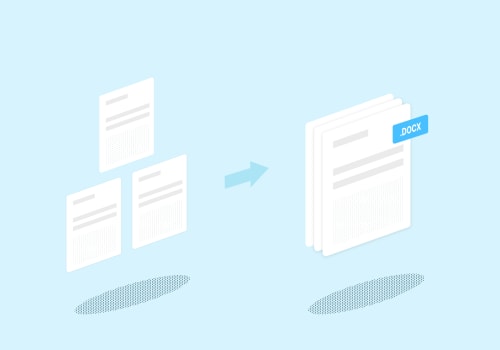
Various online PDF editing tools have emerged, each equipped with features that not only facilitate editing but also provide robust sharing capabilities. One of the most recognized names in the field is Adobe Acrobat Online. This powerful tool offers a comprehensive suite of features that allow users to manipulate their PDF documents easily. With Adobe Acrobat Online, users can merge multiple PDFs into a single file, making it easier to compile reports or presentations. Additionally, the platform supports splitting large documents into smaller segments, which is particularly useful when sharing specific sections with colleagues or clients.
Users can also annotate text with comments directly on the PDF, making collaborative editing straightforward and efficient. Once the editing process is complete, Adobe Acrobat provides various sharing options, including email invitations and direct links to the edited document, ensuring that recipients can access the latest version quickly. Another popular tool in the realm of online PDF editing is Smallpdf. This user-friendly platform offers a range of features designed to enhance both editing and sharing experiences. Smallpdf allows users to merge and split PDFs similarly to Adobe Acrobat but adds additional functionalities like compressing files for easier upload and sharing.
The annotation tools in Smallpdf enable users to add notes, highlight text, and create shapes, which can be incredibly helpful for providing feedback or making revisions. When it comes to sharing, Smallpdf offers options to download the edited document directly or share it via email or cloud services like Google Drive and Dropbox. This versatility makes it a favorite among users looking for quick and efficient ways to manage their PDF files.
PDFescape
is another noteworthy option that caters specifically to those looking for a free online PDF editor with decent sharing capabilities. Users can fill out forms directly within PDFescape, making it an excellent choice for applications and surveys.The platform also supports merging and splitting documents, though its features may not be as extensive as those offered by Adobe Acrobat or Smallpdf. Sharing options include downloading the edited document or generating a shareable link, which can be sent via email or posted on social media platforms. While PDFescape provides essential editing functions, users should consider their specific needs when deciding on the best tool. As we embrace these online solutions for editing PDFs, concerns about security and privacy are paramount. Users often worry about unauthorized access to their documents while using online tools.
Reputable platforms like Adobe Acrobat Online and Smallpdf employ robust encryption methods to protect user data during transmission and storage. They also adhere to strict data protection policies, ensuring that user documents are not stored longer than necessary and are deleted promptly after processing. It’s advisable for users to familiarize themselves with each tool's privacy policy before uploading sensitive information. When it comes to sharing edited PDFs securely, several methods can be employed. Sending files via email is a common practice; however, users should ensure they are sending documents through secure email services that offer encryption.
For those who prefer cloud storage services like Google Drive or Dropbox, sharing edited PDFs through these platforms allows users to control access permissions effectively. Users can choose whether recipients can view or edit the document, adding an extra layer of security. Direct links generated by tools such as Smallpdf are another convenient option; however, it's essential to set expiration dates on these links when possible and limit access only to intended recipients. Each sharing method has its benefits and limitations. Email is straightforward but can be limited by attachment size restrictions.
Cloud storage offers flexibility but may require recipients to have accounts on those platforms. Direct links are quick but should be managed carefully to avoid unauthorized access. By understanding the various options available for sharing edited PDFs, users can select the most appropriate method based on their needs while maintaining document security. In conclusion, leveraging online PDF editing tools not only streamlines the editing process but also enhances collaboration through effective sharing options. As more users seek ways to edit and share documents without installing software, understanding these tools and their capabilities becomes increasingly vital in maximizing your PDF editing experience online.
Effective PDF Sharing Methods
When it comes to sharing edited PDFs, there are several effective methods that can enhance your workflow and improve collaboration.Understanding these sharing options for edited PDFs is crucial for maximizing productivity. One of the most common methods is using email attachments. Most email services allow users to attach PDF files directly to their messages, making it easy to send documents to colleagues or clients. However, be mindful of file size limitations and consider compressing large PDFs before sending. Another popular option is cloud storage integration. Platforms like Google Drive, Dropbox, and OneDrive enable users to upload their edited PDFs and share them via a link.
This method not only helps in bypassing email size limits but also allows multiple users to access the document simultaneously, making collaboration seamless. Lastly, direct link sharing has gained popularity due to its simplicity and efficiency. Many online PDF editing tools provide a feature that generates a shareable link once the editing is complete. This allows users to share the document instantly without the need for email or cloud storage, streamlining the sharing process even further. By utilizing these various sharing options for edited PDFs, users can enhance their collaboration efforts and streamline their workflows, ensuring that important documents reach the intended recipients quickly and efficiently.
Ensuring Document Security
When sharing edited PDFs online, document security should be a top priority. It is essential to implement best practices that protect your sensitive information from unauthorized access and potential misuse. First, consider using password protection.Many online PDF editing tools offer the option to encrypt your documents with a password before sharing. This ensures that only individuals with the correct password can access the content of the PDF. Another important aspect of maintaining security is to utilize secure sharing links. Instead of sending the document as an attachment, generate a secure link that expires after a certain period or limits access to specific users. This reduces the risk of the document being shared widely without your consent. Additionally, always verify the security features of the PDF editing platform you are using.
Look for services that comply with industry-standard encryption protocols and have clear privacy policies outlining how your data will be handled and stored. It's also wise to avoid sharing sensitive information unless absolutely necessary. If you must include personal or confidential data in your documents, consider redacting this information or using watermarks to label sensitive content appropriately. Finally, educate yourself and your team about recognizing phishing attempts and suspicious activity. Ensuring that everyone involved in the document sharing process is aware of potential threats can significantly enhance your overall document security.
Choosing the Right Tool
When it comes to editing PDFs online, selecting the right tool can significantly impact your productivity, especially regarding sharing options for edited PDFs. With a plethora of online PDF editors available, it's essential to evaluate their features to find the best fit for your needs.Below is a comparison of some popular online PDF editing tools based on their sharing features and ease of use.
Adobe Acrobat Online
is a well-known tool that offers robust editing capabilities along with seamless sharing options. Users can easily invite others to view or edit the document through email links, ensuring collaborative efforts are straightforward and efficient. Its user-friendly interface makes it accessible for both beginners and advanced users.Smallpdf
stands out for its simplicity and efficiency. This tool allows users to edit, merge, and annotate PDFs without any software installation.Sharing options include generating a shareable link or sending documents via email directly from the platform. The drag-and-drop feature further enhances its usability.
PDFescape
is another excellent option, particularly for those looking for a free solution. While it may not have as many advanced features as some paid tools, it allows users to edit and share PDFs easily. Users can download their edited files or share them via a link, making collaboration hassle-free.Sejda PDF Editor
offers unique features such as adding text and images, along with a clean user interface that simplifies the editing process.Sharing edited PDFs is straightforward, with options to download, share via link, or send directly to email. This flexibility makes Sejda an appealing choice for many users. In summary, when choosing the right online PDF editor, consider both the sharing capabilities and ease of use. Each tool has its strengths; therefore, evaluating your specific needs will help you select the best option for enhancing your PDF editing experience.In conclusion, maximizing your PDF editing experience online hinges on selecting the right tools that cater to your specific needs. As we explored in this article, effective PDF sharing methods not only streamline collaboration but also enhance productivity in both personal and professional settings.
It is essential to consider ensuring document security when sharing edited PDFs, protecting sensitive information while maintaining accessibility. Additionally, choosing the right tool can make a significant difference in how efficiently you can merge, split, or annotate your documents. We encourage our readers to prioritize both security and convenience when selecting their PDF editing solutions to ensure a seamless workflow.