In today's digital age, the ability to create and edit forms efficiently is essential for both personal and professional use. Whether you are a small business owner looking to streamline client intake forms, an educator designing surveys for student feedback, or simply someone wanting to organize information in a structured manner, having access to the right tools is crucial.
Exploring Online PDF Editing Tools for Form Creation
offers a comprehensive guide to understanding various options available at your fingertips. With an overwhelming number of tools available online, it can be challenging to determine which ones truly meet your needs. From user-friendly interfaces to advanced features that allow for intricate designs and functionalities, the landscape of form creation tools is diverse and constantly evolving.As we delve into this article, we will uncover the various types of online PDF editing tools that cater specifically to form creation. By understanding the capabilities of these tools, you will be empowered to choose the right one that aligns with your specific requirements. Join us as we embark on this exploration of innovative solutions designed to enhance your form creation experience and make your workflow more efficient. The rise of digital document management has transformed how individuals and businesses handle paperwork. As more tasks shift online, the demand for efficient and user-friendly tools has surged, particularly in the realm of PDF editing.
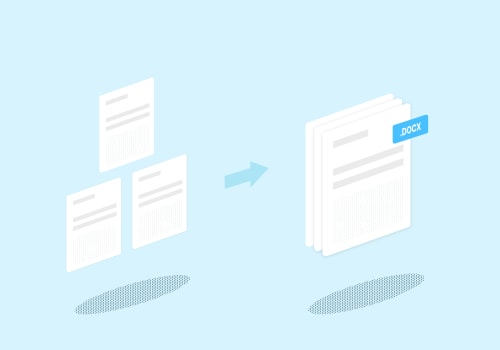
With online PDF editing tools, users can perform a multitude of tasks without the hassle of software installation, making them an appealing option for anyone looking to streamline their document workflows. When it comes to PDF editing tools, they can be broadly categorized into several types, each catering to different needs and functionalities. The first category includes tools for merging PDFs. These tools allow users to combine multiple PDF documents into a single file, which is particularly useful for creating comprehensive reports or presentations. Popular examples include Smallpdf and PDF Merge, both of which offer intuitive interfaces and the ability to drag and drop files for quick merging.
Users appreciate the simplicity and speed of these tools, especially when working under tight deadlines. Another important category is tools designed for splitting documents. These are essential for users who need to divide large PDFs into smaller, more manageable sections. Tools like Sejda PDF and Adobe Acrobat Online provide robust features that not only allow users to split files but also offer options to extract specific pages. Such functionality is invaluable for educators and professionals who often need to share only relevant sections of a document.
Annotating text
is another critical feature offered by many online PDF editors.Users frequently require the ability to add comments, highlight text, or insert notes directly into their documents. Tools such as PDFescape and DocHub excel in this area, providing a range of annotation options that enhance collaboration among teams. These tools often allow multiple users to interact with the document simultaneously, making it easier to gather feedback and make revisions. A standout feature in the realm of online PDF editing is the ability to create fillable forms. This functionality is crucial for businesses that need to gather information through surveys, applications, or contracts.
Tools like JotForm and PandaDoc not only enable users to design forms but also integrate advanced features such as conditional logic and payment processing. Users often report increased efficiency in data collection due to these customizable forms. Despite the advantages, concerns regarding security and privacy are paramount when selecting an online PDF editing tool. Users want assurance that their sensitive information will be protected throughout the editing process. Many reputable tools employ encryption protocols to safeguard data during transmission and storage.
For instance, DocuSign highlights its commitment to security with features like two-factor authentication and audit trails, ensuring that documents remain confidential. It’s essential for users to review a tool’s privacy policy and data handling practices before committing. User testimonials often shed light on how these tools can enhance productivity. For example, a small business owner might share how using PandaDoc streamlined their contract signing process, reducing turnaround time significantly. Similarly, educators have praised PDFescape for its ease of use in creating interactive worksheets that engage students more effectively. However, potential drawbacks exist that users should consider before diving into any tool.
Many free versions of online PDF editors come with file size limits or restricted features, which may not meet all user needs. Subscription costs can also vary widely among different platforms, leading users to choose between affordability and functionality. Understanding these limitations will help users make informed decisions about which tool aligns best with their requirements. In conclusion, choosing the right online PDF editing tool is crucial based on specific needs. Whether merging documents, splitting files, annotating text, or creating fillable forms, there are various options available that cater to diverse requirements.
By weighing features against concerns about security and cost, users can find a solution that enhances their digital document management experience.
Security and Privacy Considerations
In an era where digital document management is paramount, security and privacy considerations are crucial when using online form creation tools. As users turn to these platforms for editing PDFs and creating fillable forms, understanding how their data is protected becomes a priority. Many online tools employ robust encryption methods to safeguard user data during transmission and storage, ensuring that sensitive information remains confidential. Common measures include SSL encryption, which secures the connection between the user's device and the online service, preventing unauthorized access.Additionally, reputable services often offer data deletion policies, where documents are automatically removed from their servers after a set period or upon user request. This practice minimizes the risk of data breaches and ensures that users maintain control over their documents. However, users must also take proactive steps to protect their own information. Before uploading any sensitive documents, it's advisable to review the tool's privacy policy to understand how data is handled. Users should avoid sharing personal or confidential information in documents unless absolutely necessary.
Utilizing features such as password protection for PDFs can add an extra layer of security, making it difficult for unauthorized individuals to access the content. Ultimately, while online form creation tools offer convenience and efficiency, maintaining security and privacy requires a combined effort from both the service provider and the user. By staying informed and vigilant, users can confidently utilize these tools while keeping their documents secure.
Key Features of Online PDF Editing Tools
When searching for the ideal online PDF editing tool, users should prioritize several key features that can significantly enhance their experience. First and foremost, ease of use is critical. A user-friendly interface allows individuals, regardless of their technical proficiency, to navigate the tool effortlessly.Look for intuitive layouts and straightforward functionalities that require minimal learning time. Another essential aspect is compatibility with various file types. The best online PDF editors should not only support PDF files but also allow users to import and export other formats such as Word documents, Excel sheets, and image files. This flexibility ensures that users can work with different document types without hassle. Additionally, accessibility plays a vital role in the effectiveness of an online PDF editor. Users should be able to access the tool from any device with an internet connection, whether it be a desktop, tablet, or smartphone.
This level of accessibility enables users to edit documents on the go, making it a convenient option for busy professionals. Finally, consider the security and privacy features offered by the editing tool. With sensitive information often contained within PDF documents, it is crucial to select an editor that implements strong encryption protocols and secure file handling practices. This ensures that your documents remain confidential while being edited online.
User Experiences and Testimonials
In the realm of online PDF editing tools, user experiences provide a valuable insight into the effectiveness and practicality of these platforms. Many users have shared their journeys, highlighting how these tools have transformed their approach to form creation.One user, Jane D., a small business owner, expressed her satisfaction with an online PDF editor, stating, "I never realized how much time I could save by using an online tool for editing my forms.The ability to fill out and send documents without downloading software was a game-changer for me!" This sentiment is echoed by countless users who appreciate the convenience of accessing powerful editing features from any device. Another user, Mark T., shared his experience with merging multiple PDFs into a single form. He noted, "With just a few clicks, I was able to combine several documents into one cohesive file. It made my project so much easier to manage, especially during tight deadlines." Testimonials like these underline the practical benefits that come from using online PDF editing tools.Security is also a significant concern for many users. Sarah L., a freelance consultant, remarked, "I was worried about uploading sensitive information online.
However, after using a tool that prioritizes security and privacy, I felt confident knowing my data was protected. This assurance allowed me to focus on what really matters—getting my work done efficiently."These testimonials reflect a broader trend where users not only seek functionality but also prioritize security when choosing their form creation tools. As the demand for digital document management continues to rise, the voices of real users serve as powerful endorsements for the effectiveness of online PDF editors.
Popular Online PDF Editing Tools
As the demand for efficient document management solutions rises, numerous online PDF editing tools have emerged to cater to various user needs. Below are some of the most popular options available:1.Adobe Acrobat Online: Known for its comprehensive features, Adobe Acrobat Online allows users to edit PDFs, merge documents, and fill forms seamlessly.One of its key strengths is the integration with Adobe's extensive ecosystem, providing a familiar interface for users. Pricing starts with a subscription model that offers additional features like cloud storage.
2.Smallpdf
: This tool is particularly user-friendly and offers a variety of functionalities including compressing, merging, and converting PDFs. Smallpdf emphasizes simplicity and speed, making it ideal for quick edits. It offers a free version with basic features, while premium access is available for more advanced tools at a reasonable monthly fee.3.PDFescape
: PDFescape is a versatile online tool that lets users edit PDF files without downloading any software.It features form filling, annotation, and document sharing capabilities. The free version includes ads and has some limitations on file size and functionality, while the premium version offers enhanced features at an affordable price.
4.Sejda PDF Editor
: Sejda stands out with its clean interface and robust editing tools, allowing users to edit text, add images, and fill forms easily. It also prioritizes privacy by deleting uploaded files after five hours. Sejda offers a free tier with daily limits, while a subscription provides unlimited access.5.PDF Buddy
: Focused on collaborative editing, PDF Buddy allows users to upload and share documents for joint editing purposes.Its straightforward design makes it easy for users to annotate and fill out forms online. While there is a free version available, the full suite of features requires a paid subscription. These tools not only enhance productivity but also ensure that users can manage their documents securely and effectively in a digital environment. In this article, we explored the key features of online PDF editing tools, discussed some of the popular options available, and highlighted the importance of security and privacy considerations when handling your documents. User experiences and testimonials further illustrate the effectiveness of these tools in meeting diverse needs. As you evaluate your own PDF editing needs, we encourage you to experiment with different tools to discover which one aligns best with your requirements. Remember, while convenience is essential, ensuring your documents remain secure should always be a top priority when using online services.